
There’s a conversation happening in every product org right now. Someone on the team, usually someone smart and well-intentioned, says: “Why don’t we just build this ourselves?”
They’re talking about product intelligence. The ability to pull customer feedback from sales calls, support tickets, CRM notes, and product usage data, connect it all together, and turn it into prioritization decisions backed by real evidence and real revenue numbers.
It sounds like a data pipeline problem. Maybe a few API connections, some NLP, a dashboard. With tools like Claude Code, Cursor, and Copilot making it possible for nearly anyone to ship working software, the question feels more reasonable than ever.
I wanted to find out what that “just build it” path actually looks like. So I sat down with Claude Code and tried to build Bagel AI from scratch.
Let me be specific about what that means. Bagel AI is a product intelligence platform for B2B companies. It connects to tools like Salesforce, Gong, Zendesk, and Jira, ingests customer feedback from all of them continuously, and uses AI to do something that sounds simple but turns out to be extraordinarily hard: it learns your company’s specific language, maps scattered feedback to product initiatives, and quantifies the revenue impact of every product gap and feature request. Product teams, sales, CS, and leadership all see the same evidence, in the tools they already use, updated in real time.
The goal of this experiment was not to prove that building Bagel AI is impossible. With enough time and engineers, you can build anything. The goal was to understand what it actually means to build something like this internally: what it costs, what breaks, what gets overlooked, and what happens when you try to move from “works on my laptop” to “works across an organization.” Whether you’re an enterprise, an SME, or a hyper-growth startup, the challenges are the same. The scale just makes them worse.
Here’s what I found.
“But We Already Have the Data Connected”
Before we get into the build itself, let me address the thing I know many of you are already thinking: We’re not starting from zero. We have a data warehouse. We have Snowflake or BigQuery. We have n8n or Zapier connecting our tools. We already pipe Gong transcripts and Zendesk tickets into a central place. We’re halfway there.
Fair enough. So let’s give this experiment a head start. Let’s assume you already have your data sources connected. Your Salesforce, Gong, Zendesk, and Jira data all flows into a warehouse. You have automation tools routing information between systems. You even have a BI dashboard showing some charts.
I’ll grant you all of that. Because what I learned in this experiment is that connected data is maybe 10% of the problem. The other 90% is what you do with it: learning your company’s taxonomy automatically, linking feedback across sources to surface real pain points, attaching revenue impact to every product gap, routing actionable insights to the right person in the right tool at the right time, and doing all of this continuously as your data, your team, and your product evolve.
Having your data in one place is a great foundation. Turning that data into product intelligence is an entirely different challenge. That’s what this is about.
Phase 0: The Setup (Hour 0)
Before I wrote a single prompt, I had to get my environment ready.
I work on a MacBook. I’m comfortable in a terminal, but I’m not someone who lives there. I know enough to run commands, read error messages, and Google my way through a stack trace. That puts me roughly where most product leaders who’ve done a bit of technical work in their careers would be.
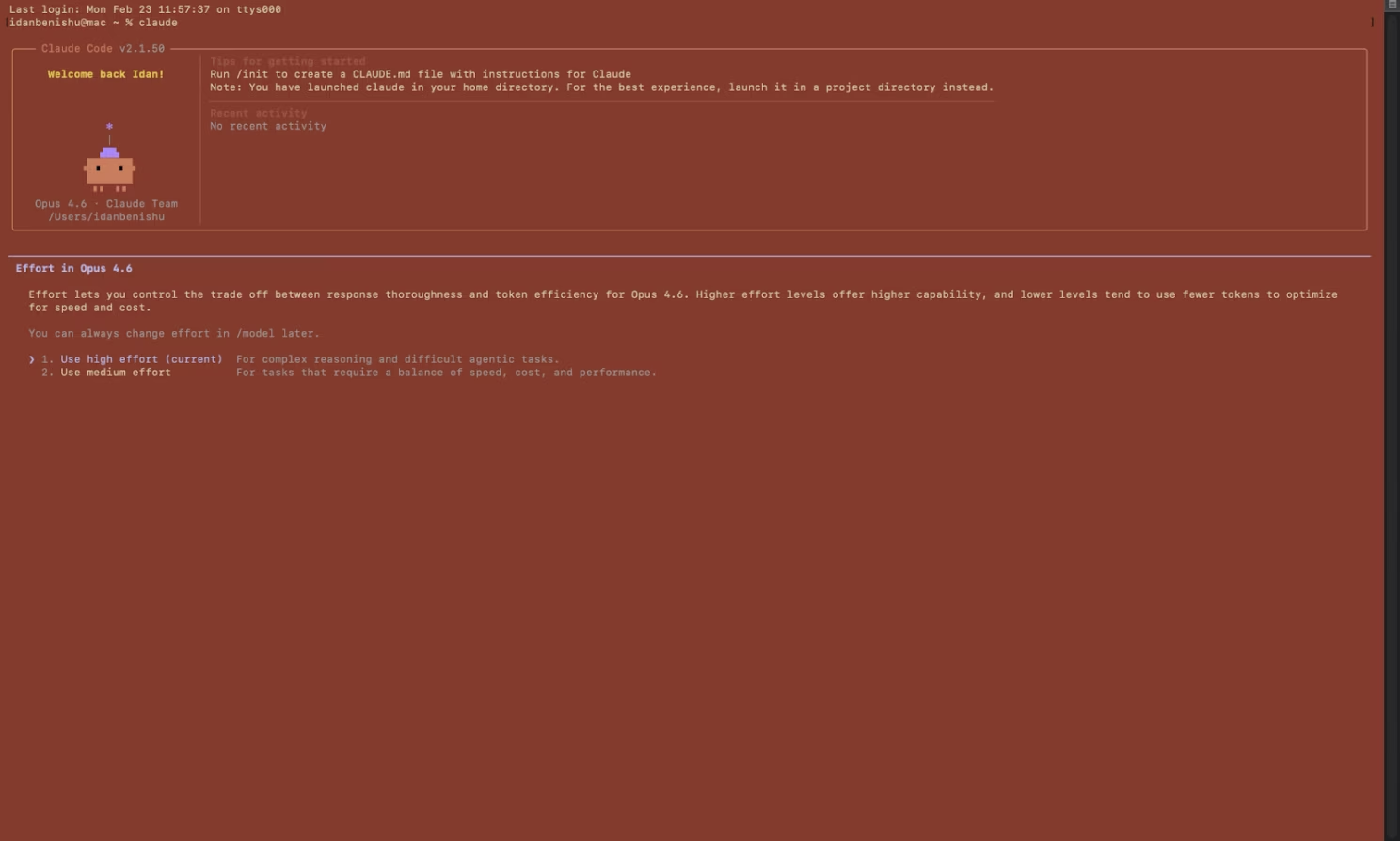
Claude Code runs in the terminal. You install it globally through npm, which means you first need Node.js on your machine. I already had it installed from a previous side project, so that part was painless. For anyone starting fresh, that’s already a step: installing Node, opening a terminal, running npm install -g @anthropic-ai/claude-code, and hoping nothing throws a permissions error.
Once Claude Code was running, I created a new project folder, opened a session, and started describing what I wanted to build. The workflow is conversational. You type what you need in plain English, Claude Code writes the files, and you can run everything locally to see if it works. It feels surprisingly natural, like pair programming with someone who types faster than you can think.
The early setup also meant getting a few things in place that Claude Code would need to work with: a local Postgres database, API keys for Zendesk and Salesforce (I used sandbox accounts), and an OpenAI API key for the NLP classification layer. Claude Code actually helped me through some of this. I asked it how to set up a local Postgres instance, and it walked me through the Homebrew install and the initial database creation. That was a nice moment. It felt like having a senior engineer sitting next to me, patiently explaining things I’d normally spend 20 minutes searching for on Stack Overflow.
Total setup time: about an hour. Not bad. At this point I had a terminal open, Claude Code ready to go, a blank project folder, and a dangerous amount of optimism.
Phase 1: The Honeymoon (Hours 1-4)
I’ll be honest: the first few hours were exhilarating.
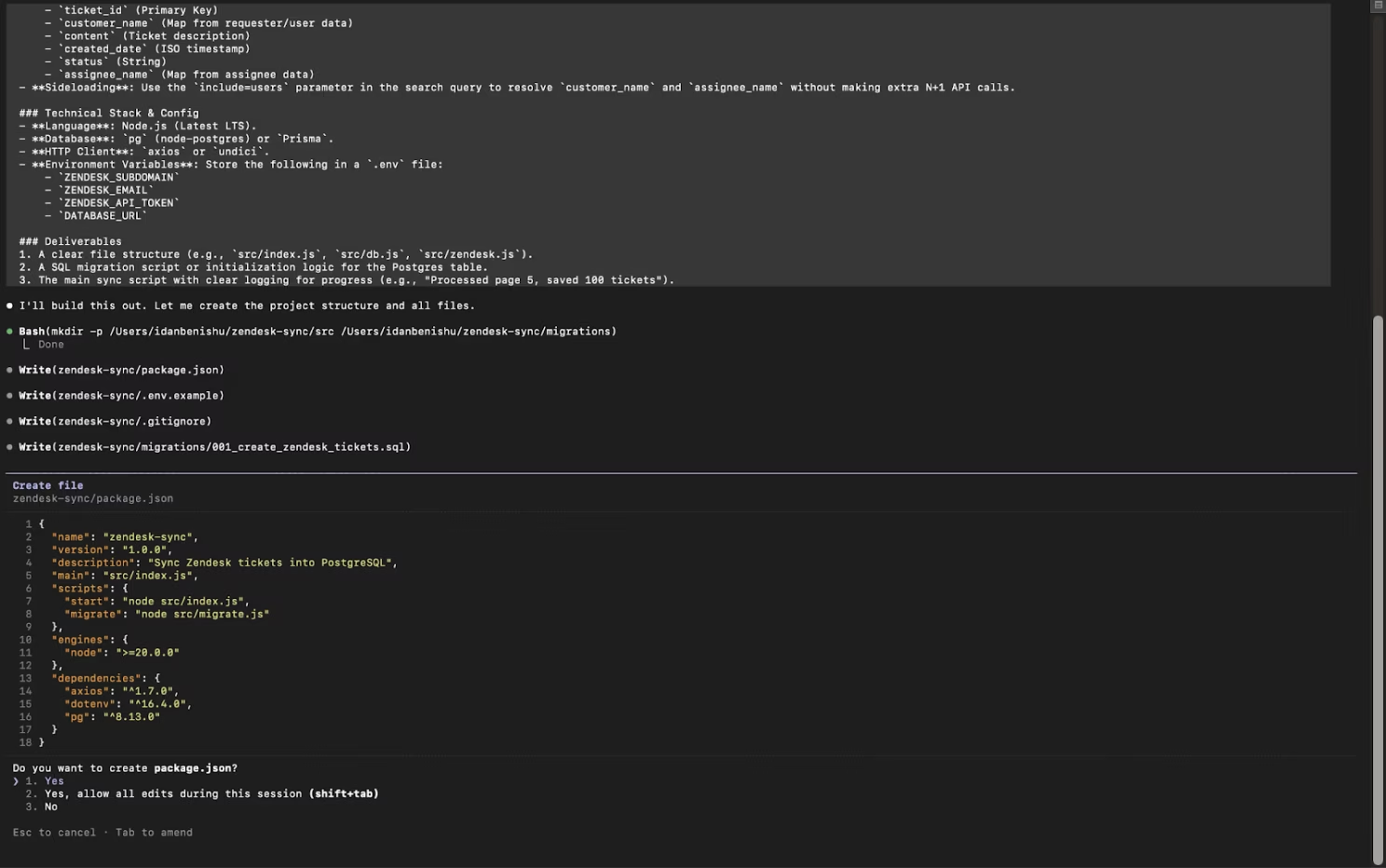
I started with the most basic version of the problem: a feedback ingestion pipeline. Here’s the actual prompt I gave Claude Code:
Build me a Node.js service that connects to the Zendesk API, pulls all tickets updated in the last 30 days, and stores them in a Postgres database. Each record should include: customer name, ticket content, created date, status, and assignee. Use the Zendesk Search API with cursor-based pagination. Handle rate limits with exponential backoff. Store the connection config in environment variables.
Claude Code delivered. Within minutes, I had a working service. It wrote the API connection logic, set up the database schema, handled pagination, and even included error handling. I ran it. It worked. Tickets started flowing in.
Next, I asked for a basic NLP layer:
Add a processing step after ticket ingestion. For each new ticket, use OpenAI’s API to classify the ticket into exactly one of these categories: bug_report, feature_request, usability_issue, integration_problem, or performance_complaint. Store the classification and a confidence score in a new column. Process tickets in batches of 20 to manage API costs. Skip tickets that have already been classified.
Again, it worked. Claude Code used a straightforward classification approach, and the results were surprisingly reasonable for a first pass. Maybe 70% accuracy on a small sample.
I pushed further:
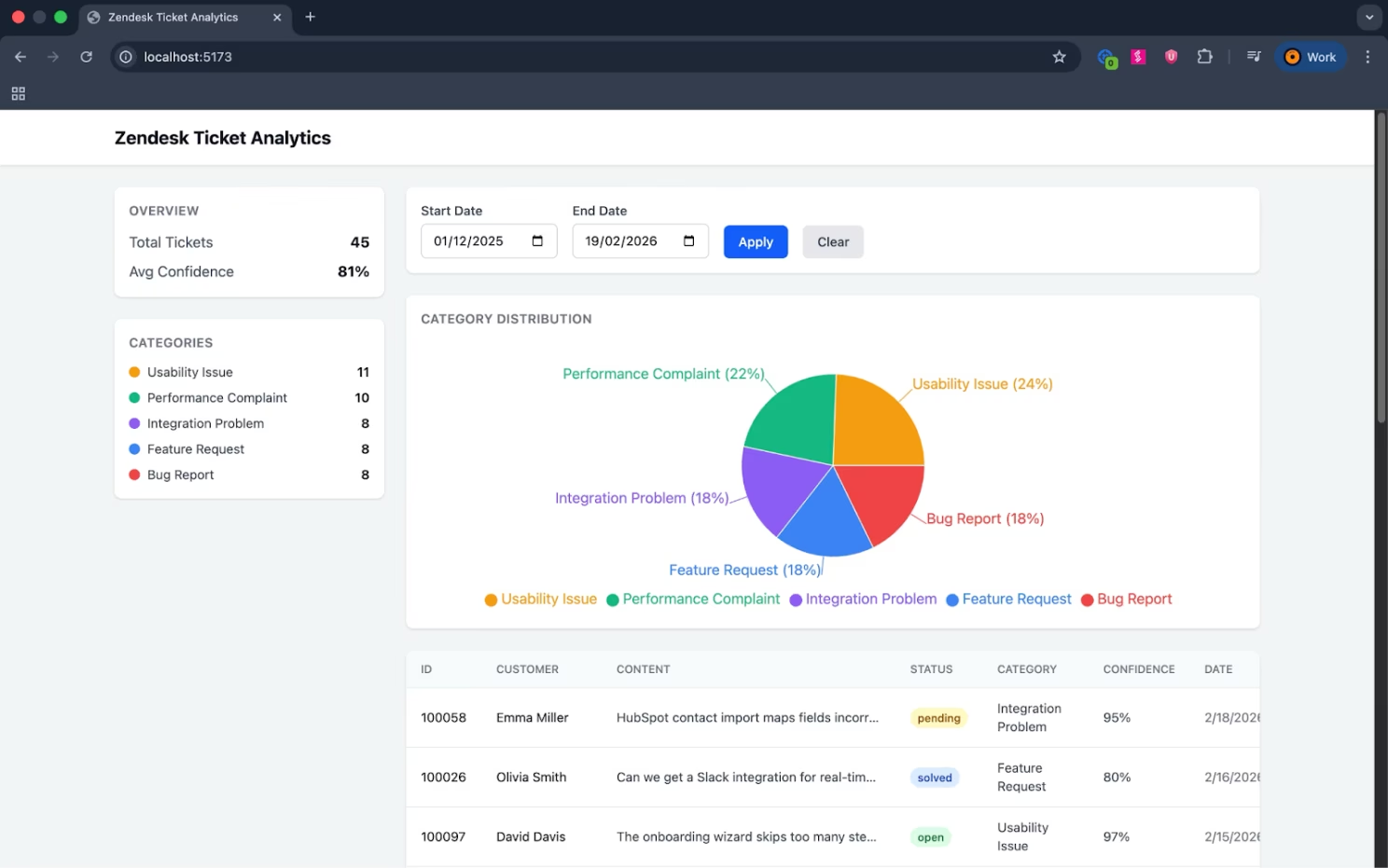
Now build me a React dashboard using Tailwind CSS. It should display a table of all classified tickets, a pie chart showing distribution by category, and date range filters. Include a sidebar with total ticket count and average confidence score. Use Recharts for the charts. Connect it to the Postgres database through an Express API layer.
Twenty minutes later, I had a dashboard. It looked decent. It functioned. I could filter tickets and see a pie chart of categories. I was four hours in and I had something that, if I squinted, looked like a product.
This is the moment where every product leader gets dangerous. Because at this point, the math feels obvious: if I can get here in four hours, surely I can get to a full product in a few weeks.
I was wrong.
Phase 2: The Second Data Source (Hours 5-10)
The first crack appeared when I tried to add a second data source. Zendesk was working, so I moved to Salesforce.
Salesforce is a different animal. Its API is complex, authentication uses OAuth flows with refresh tokens, and the data model is deeply nested. I described what I wanted to Claude Code, and it generated a reasonable starting point, but the implementation assumed a simpler auth model. When I tried to run it, the OAuth handshake failed. I spent an hour going back and forth, describing errors, getting suggested fixes, describing new errors.
This is a pattern I’d encounter repeatedly: Claude Code is exceptional at building a thing. It’s less reliable at building a thing that integrates with another thing in a production-grade way. Each integration has its own quirks, edge cases, rate limits, and authentication patterns. Claude Code knows the general shape of these, but the devil is in the details, and the details require the kind of domain-specific knowledge that comes from having built and maintained these integrations over months.
Eventually, I got a basic Salesforce connection working. But “basic” is doing a lot of heavy lifting in that sentence. It pulled data. It didn’t handle token refreshes gracefully. It didn’t deal with Salesforce’s API rate limits. It didn’t map custom fields correctly. And it definitely didn’t handle the fifty different ways that real Salesforce instances are configured in the wild.
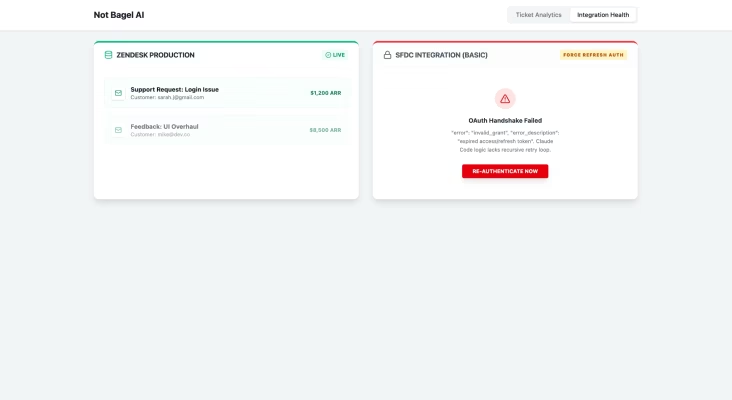
Now multiply this by every integration Bagel AI supports: Gong, Jira, HubSpot, Intercom, ClickUp, Slack, and more. Each one is its own project. Each one has its own failure modes. And they all need to work simultaneously, reliably, at scale.
Phase 3: The AI Gets Hard (Hours 11-20)
With two shaky data sources connected, I moved to the core intelligence layer, the part that’s supposed to make this a product intelligence platform rather than a fancy dashboard.
I asked Claude Code to build a system that could learn a company’s product taxonomy. In Bagel AI, this means the platform adapts to how your specific team talks about your product. If your team calls something “the onboarding flow” and your customers call it “the setup wizard,” the system needs to understand those are the same thing. If a sales call mentions a “deal blocker around SSO” and a support ticket references “enterprise authentication requirements,” those need to be linked.
This is where Claude Code hit a wall it couldn’t code around.
Claude Code can write classification models. It can implement embeddings and similarity search. It can set up vector databases and retrieval pipelines. Building a system that continuously learns and adapts to a specific company’s language, one that improves over time, handles ambiguity, corrects its own mistakes, and maintains accuracy as the taxonomy evolves, requires ML engineering and research that goes far beyond writing code.
I managed to get a basic keyword-matching system working. I even got a simple embedding-based similarity model running. The gap between “demo-ready prototype” and “production system that a VP of Product would trust for roadmap decisions” was enormous. My prototype would confidently categorize a complaint about login speed as a “performance issue” when it was actually a symptom of a deeper SSO integration bug tied to a specific enterprise customer worth $200K in ARR. Bagel AI’s models catch that nuance because they’ve been trained on thousands of real interactions and continuously refined.
Here’s what really matters about this phase, and what makes Bagel AI fundamentally different from a dashboard with some NLP on top: the deep research layer. The value of product intelligence isn’t in classifying a ticket as “feature request” or “bug.” It’s in what context the system brings together from across all your data sources. A single Gong call mentions SSO. Three Zendesk tickets from different customers describe the same friction in different words. A Salesforce opportunity note flags it as a competitive loss reason. Your Jira backlog has a related ticket from six months ago that was deprioritized. Bagel AI connects all of that, surfaces the real pain point, and attaches a dollar figure to it. That kind of cross-source intelligence requires deep contextual understanding that a prototype can’t come close to.
This was my first real “build vs. buy” moment. Claude Code wrote perfectly functional code. The intelligence behind the code, though, takes months of iteration, real-world data, and ML expertise that no coding assistant can shortcut.
Phase 4: Where Revenue Meets Feedback (Hours 21-30)
Bagel AI’s core value proposition is connecting product decisions to revenue impact. This means taking a piece of feedback, like a feature request from a support ticket, and automatically associating it with the customer’s ARR, their renewal date, their expansion potential, and any active deals in the pipeline.
I asked Claude Code to build this. It wrote a reasonable join query between the feedback data and Salesforce opportunity data. Making this work in reality means dealing with data that’s messy, incomplete, and inconsistent. Customer names don’t always match across systems. Account hierarchies in Salesforce are complex. Revenue data is sensitive and needs to be handled with extreme care.
Beyond the data matching problem, there’s the analytical layer. When Bagel AI says “this feature gap is blocking $1.2M in pipeline,” that number comes from a weighted calculation that factors in deal stage, win probability, competitive mentions, and the strength of the evidence linking the feedback to the deal. Building this logic is possible in theory. Getting it right, right enough that a CRO would present it to the board, takes the kind of iterative refinement that happens over many months with real customers providing real feedback on real numbers.
Claude Code helped me build a simplified version. It looked convincing in a demo with sample data. It would fall apart in any real-world environment where the stakes actually matter.
Phase 5: The Integration Nightmare (Hours 31-40)
At this point I had a fragile prototype: two data sources, basic categorization, a rough revenue connection, and a dashboard. Now I needed to push insights back out, into Slack, Jira, and Salesforce.
This is where I discovered that building integrations is really two problems. The first is the API connection, which Claude Code handles reasonably well. The second is the product design of the integration: what to send, when to send it, how to format it, and how to make it feel native in each tool.
A Slack notification that says “New feature gap detected: SSO improvements, linked to 3 deals worth $450K” is easy to generate. Knowing when to send it, who to send it to, how to avoid notification fatigue, how to thread related updates, how to let users click through to evidence: that’s product design layered on top of engineering. Claude Code can build the webhook. The question of what should be in the message requires a different kind of thinking entirely.
I asked it to build a Jira integration that automatically creates tickets from high-priority product gaps. It wrote the API calls. A useful Jira integration needs to understand your project structure, your issue types, your custom fields, your workflow states. It needs to avoid creating duplicates. It needs to link related issues. Each Jira instance is its own snowflake.
This is the phase where the human problems started outweighing the technical ones.
Phase 6: The Human Problems
Somewhere around hour 30, I realized the technical obstacles were only half the story. The other half was about me.
Prompt fatigue is real. By hour 20, I was exhausted from describing requirements in enough detail for Claude Code to generate useful output. Every feature required a mini product spec delivered as a conversational prompt. I was essentially doing the product thinking, the architecture thinking, and the QA. Claude Code was doing the typing. I wasn’t saving as much time as I thought.
Context loss compounds. Claude Code sessions have limited context windows. By the time I was working on the revenue mapping feature, Claude Code had no memory of how I’d built the feedback ingestion pipeline. I found myself re-explaining architectural decisions, re-describing data schemas, re-establishing conventions. In a real engineering team, institutional knowledge lives in code reviews, documentation, and people’s heads. With an AI coding assistant, it evaporates between sessions.
Trust decay is insidious. Early in the process, I trusted Claude Code’s output. It was writing clean, functional code. By the middle of the project, I’d encountered enough subtle bugs that I started reviewing everything carefully, which meant the speed advantage diminished. I found an authentication token being logged to stdout. I found a SQL query that worked perfectly until a customer name contained an apostrophe. I found a React component that re-rendered on every keystroke because of a missing dependency array. These are the kind of mistakes any developer makes. As someone who isn’t a full-time developer, I had to catch them with a product person’s eyes, and that’s terrifying when the code is handling customer revenue data.
Decision fatigue multiplies. Every feature Claude Code builds requires decisions: which database? which auth pattern? which API version? how to handle errors? how to structure the data? A senior engineer makes these decisions instinctively based on years of experience. I was making them based on Claude Code’s suggestions, which were always reasonable but sometimes contradictory across sessions. After hundreds of micro-decisions, I had no confidence that the overall architecture was coherent.
You don’t know what you don’t know. This was the scariest part. Claude Code built things that worked in my testing environment. I had no way to evaluate whether they’d work under load, whether they had security vulnerabilities, whether the database schema would scale, or whether the error handling would hold up in production. I was building a system I didn’t fully understand, for a problem domain where I lack deep expertise, and shipping it to handle other people’s sensitive business data. No responsible product leader should be in that position.
Phase 7: The Scale Wall (Hours 41-50)
This is where the experiment hit its real limit, and where the most important lesson lives.
Everything I’d built worked for one user: me. One Zendesk instance. One Salesforce org. A few hundred tickets. A handful of deals. Running on my laptop.
The moment I tried to think about what it would take to run this for a real team, let alone an organization, the entire thing collapsed conceptually.
Scale breaks AI tools in ways that aren’t obvious. LLMs, including the ones powering tools like Claude Code and NotebookLM, have hard context window limits. My prototype could classify a few hundred tickets. A mid-size B2B company generates thousands of feedback signals per month across dozens of channels. You can’t stuff all of that into a prompt. You need retrieval architectures, chunking strategies, embedding pipelines, and inference optimization that handle volume without losing accuracy or context. My prototype had none of that. At 500 tickets it was sluggish. At 5,000 it would have been useless.
Cloud costs and API calls scale faster than you think. My prototype used OpenAI’s API for classification. At small volumes, the cost was negligible. At an organizational scale, processing every ticket, every call transcript, every CRM note through an LLM API adds up fast. And that’s before you factor in embedding generation, similarity search, re-classification as taxonomy evolves, and real-time processing. I ran some rough numbers: for a company with 10,000 feedback signals per month, the API costs alone would be in the thousands. That’s a recurring cost that grows with your data.
Security is a structural requirement, not a feature. Any company evaluating an internal build already has compliance obligations: SOC 2, GDPR, data residency requirements. Their customers’ data is already governed by these standards. Building an internal tool that processes customer feedback, revenue data, and deal information means that tool needs to meet those same standards from day one. PII detection and masking, encryption at rest and in transit, audit logging, role-based access control, SSO integration, documented security controls: these are architectural foundations, and they shape every decision from the start.
Multi-tenancy changes everything. My prototype was single-user. In an organization, you need team-level permissions, different views for PMs vs. sales vs. leadership, data isolation between business units, and admin controls. Every feature I’d built needed to be rethought for multi-user access.
Integrations multiply per customer. I’d struggled to connect two data sources. In a real deployment, each team has its own Salesforce configuration, its own Jira workflow, its own Slack channels. The integration layer needs to handle dozens of variations of the same tool, simultaneously, without one breaking the others.
This phase is where the experiment stopped being about me and started being about the real question: what does this look like at company scale?
Revisiting “We Already Have the Data”
Remember the assumption I granted at the start? That many teams already have their data connected through warehouses and automation tools?
After 50 hours of building, I can tell you exactly why that head start doesn’t get you as far as you think.
Having data in a warehouse means you have rows and columns. You have Gong transcripts sitting next to Zendesk tickets sitting next to Salesforce opportunities. What you don’t have is the intelligence layer that makes sense of it all.
Your warehouse won’t tell you that a customer complaint about “slow onboarding” in a Zendesk ticket, a mention of “setup friction” on a Gong call with a different contact at the same account, and a competitive loss note in Salesforce about “time to value” are all describing the same product gap. Your n8n workflow can move data between tools, but it can’t learn that when your sales team says “enterprise readiness” they mean the same cluster of issues that your support team calls “admin controls and SSO.” Your BI dashboard can show you how many tickets came in last month. It can’t tell you that those tickets are connected to $2.3M in pipeline risk and that three of your top-ten accounts are affected.
That’s the gap. Connected data solves the plumbing problem. Product intelligence solves the thinking problem. And after trying to build the thinking part myself, I can tell you with confidence: the plumbing is the easy part.
The Scoreboard: What Claude Code Can and Can’t Do
Let me be clear: Claude Code is a genuinely remarkable tool. What I accomplished in 50 hours would have taken me months without it. More accurately, it would have been impossible without it, because I don’t have the engineering skills to write production code from scratch.
Here’s my honest assessment:
Where Claude Code excels. Prototyping individual features. Writing API integration boilerplate. Building UI components. Generating database schemas. Explaining technical concepts in real time. Setting up project scaffolding. Debugging specific errors. It’s an incredible force multiplier for anyone who knows what they want to build and can evaluate the output.
Where it struggles. Systems that need to work together across multiple services. ML models that need to learn and adapt over time. Integrations that need to handle real-world messiness and edge cases at scale. Architecture decisions that compound over time. Anything where the gap between “works in a demo” and “works in production” is measured in months of effort.
Where it hits hard limits. Scale. Processing thousands of feedback signals across dozens of sources requires infrastructure that AI coding tools can’t generate from a prompt. Context windows run out. API costs compound. Data volumes exceed what a single LLM call can reason about. The institutional knowledge from real customer deployments, the product intuition that comes from watching hundreds of teams use your platform, performance optimization under real load: these live outside the reach of any coding assistant.
The Receipts: Time, Cost, and What’s Still Missing
Numbers tell the story better than I can. Here’s exactly what 50 hours of building with Claude Code produced, and what it didn’t.
Phase-by-Phase Breakdown
| Phase | Hours | What Worked | What Didn’t |
| 0. Setup | 1 | Local environment, Postgres, API keys ✅ | |
| 1. Basic Ingestion + Dashboard | 4 | Zendesk API connection ✅ Ticket storage ✅ Basic NLP classification ✅ React dashboard with filters ✅ | Auth token refresh ❌ Rate limiting ❌ Error recovery ❌ Multi-tenant support ❌ |
| 2. Second Data Source (Salesforce) | 6 | Basic OAuth flow ✅ Data pull from standard objects ✅ | Token refresh handling ❌ Custom field mapping ❌ API rate limits ❌ Account hierarchy support ❌ Real-world config variations ❌ |
| 3. AI / Taxonomy Learning | 10 | Keyword matching ✅ Basic embedding similarity ✅ | Continuous learning ❌ Cross-source entity linking ❌ Ambiguity handling ❌ Taxonomy adaptation ❌ Accuracy at scale ❌ |
| 4. Revenue Mapping | 10 | Simple join between feedback and deals ✅ Basic dollar attribution ✅ | Weighted impact scoring ❌ Deal stage factoring ❌ Fuzzy account matching ❌ Pipeline risk calculation ❌ Board-ready accuracy ❌ |
| 5. Outbound Integrations | 10 | Slack webhook ✅ Jira ticket creation ✅ | Smart routing ❌ Notification fatigue management ❌ Duplicate detection ❌ Custom field mapping per instance ❌ Threaded updates ❌ |
| 6. Human Problems | (ongoing) | (Time lost to prompt fatigue, context re-explaining, reviewing for bugs, and architecture second-guessing) | |
| 7. Scale | 9 | Conceptual planning ✅ | Multi-tenancy ❌ Data volume handling ❌ Performance at scale ❌ Security foundations ❌ Cost optimization ❌ |
The Cost Math
| My Solo Experiment | What an Internal Build Actually Requires | |
| Time invested | ~50 hours | 3-6 months of engineering time (minimum) |
| People | 1 (me, a non-engineer) | 2-4 engineers, plus PM, plus DevOps |
| Cloud infrastructure | Local Postgres on my laptop | Managed databases, compute, storage, networking, monitoring: $2,000-$10,000/month depending on scale |
| API / LLM costs | ~$15 for my test data | $1,000-$5,000+/month at organizational volume (thousands of feedback signals processed continuously) |
| Ongoing maintenance | Not attempted | 10-20 hrs/week across the team to keep integrations alive, fix bugs, retrain models, handle API changes |
| Result | A single-user prototype that handles a few hundred tickets | Still far from production-ready for an organization |
These numbers are for one person building a prototype. The real question is what they look like when you multiply them across an organization.
The DIY path costs more and delivers less. And the ongoing costs are the hidden killer. APIs change. Models drift. Edge cases multiply. Every month your team is spending time just keeping the system alive instead of improving it.
If it took me 50 hours to build a fragile prototype for myself, consider what it means to build this for a team of 50. Or 200. Every additional user adds complexity: permissions, data access, notification preferences, integration configurations. Every additional data source adds maintenance burden. Every additional month adds the cost of keeping it all running and accurate.
The math doesn’t scale in your favor.
The Iceberg: Everything Still Missing After 50 Hours
After 50 hours of building, here’s what I still didn’t have. These are the things that separate a prototype from a product:
Infrastructure & DevOps: CI/CD pipeline, automated testing, staging environment, monitoring and alerting, log aggregation, backup and disaster recovery strategy, infrastructure-as-code, container orchestration, auto-scaling, uptime SLA.
Security & Governance: PII detection and automatic masking, data residency controls, SSO/SAML integration, role-based access control, encryption at rest and in transit, penetration testing, vulnerability scanning, incident response plan, audit trails, compliance documentation.
Product & Engineering: API versioning, data migration strategy, multi-tenant architecture, load testing, performance optimization, error handling that actually handles errors, webhook retry logic, idempotency across services, database indexing strategy, caching layer, search infrastructure.
Operations & Scale: On-call rotation, runbook documentation, customer onboarding flows, admin panel, usage analytics, billing integration, customer support tooling, status page, SLA monitoring.
Intelligence & Accuracy: Model evaluation pipeline, A/B testing for classification accuracy, feedback loops for model improvement, ground truth labeling workflow, drift detection, per-customer model tuning.
Standardization & Governance: Consistent taxonomy management across teams, change control for model updates, data quality monitoring, cross-team alignment on definitions and categories, documentation for every process so it doesn’t live in one person’s head.
That list reads like a roadmap for an engineering team, because it is one. Every single item on it exists inside Bagel AI today because a dedicated team built it over years of real-world customer deployments.
The Build vs. Buy Calculus in 2026
Here’s what this experiment taught me about the build vs. buy decision in the age of AI coding assistants:
The cost of building has dropped dramatically. The cost of maintaining has stayed the same. Claude Code can get you to a prototype in days. Maintaining that prototype, keeping integrations working as APIs change, keeping AI models accurate as your data evolves, keeping security controls up to date as regulations change, is an ongoing cost that AI coding assistants don’t reduce.
The gap between prototype and product is wider than it looks. My 50-hour prototype was impressive in a demo. It would have been embarrassing in production. The features that make a product trustworthy (reliability, accuracy, security, scalability) are exactly the features that are hardest to build with an AI assistant, because they require depth over breadth.
Your time has a cost too. I spent 50 hours and ended up with something I couldn’t ship. Those were 50 hours I didn’t spend on product strategy, customer conversations, market analysis, or any of the things that actually move the needle in my role. The build-it-yourself option often looks cheap until you account for the opportunity cost of the builder’s time.
Scale changes the equation entirely. A prototype for one person is a fun experiment. A system for an organization needs maintenance, standardization, governance, security, and operational support. Every one of those requirements multiplies the cost and complexity by an order of magnitude. If my solo build took 50 hours and a few hundred dollars, an internal build for a 200-person product org would take months of engineering time and tens of thousands in ongoing costs, and it still wouldn’t match what a purpose-built platform delivers on day one.
Domain expertise compounds in ways that code doesn’t. Bagel AI has been built by a team that has spent years at the intersection of product management, revenue operations, and machine learning. That expertise shows up in thousands of small decisions: how feedback is categorized, how revenue impact is calculated, how insights are surfaced, how integrations behave. You can’t replicate that by describing it to an AI coding assistant, because most of that knowledge is tacit. It lives in the team’s collective experience of watching real companies use the platform.
The right question is “should I?” rather than “can I?” AI coding assistants have made it possible for almost anyone to build almost anything. “Possible” and “advisable” are different things, though. Just because you can build a product intelligence platform in a long weekend doesn’t mean you should, any more than you should build your own CRM because you can set up a database.
My Honest Takeaway
I started this experiment mildly skeptical and ended it with a deep respect for both sides of the equation.
Claude Code is changing what’s possible. It’s democratizing software creation in ways that will reshape how companies operate. For internal tools, quick prototypes, proofs of concept, and automating repetitive tasks, it’s extraordinary. I’d use it again in a heartbeat for those use cases.
For building a production-grade platform that handles sensitive business data, integrates with a dozen enterprise tools, uses continuously learning AI models, and needs to serve an entire organization with the governance and reliability that requires, the build-it-yourself path is a mirage. It looks close from a distance. The closer you get, the further away it is.
The irony here isn’t lost on me. I work at an AI company. I believe deeply in what AI can do. And this experiment reinforced my belief that the most powerful use of AI is powering specialized platforms, the way Bagel AI uses it to understand customers. An AI that writes code and an AI that understands your customers are solving very different problems.
If you’re a product leader weighing the build vs. buy decision right now, my advice is simple: let Claude Code build your internal tools, your prototypes, and your proofs of concept. For the systems your organization depends on, invest in platforms built by teams who’ve already crossed the gap between demo and production.
Your roadmap, and your customers, will thank you.